
Node Catalog
Nodes are the building blocks of every Flow-Like workflow. Each node performs a specific operation — from simple math to AI inference to HTTP requests.
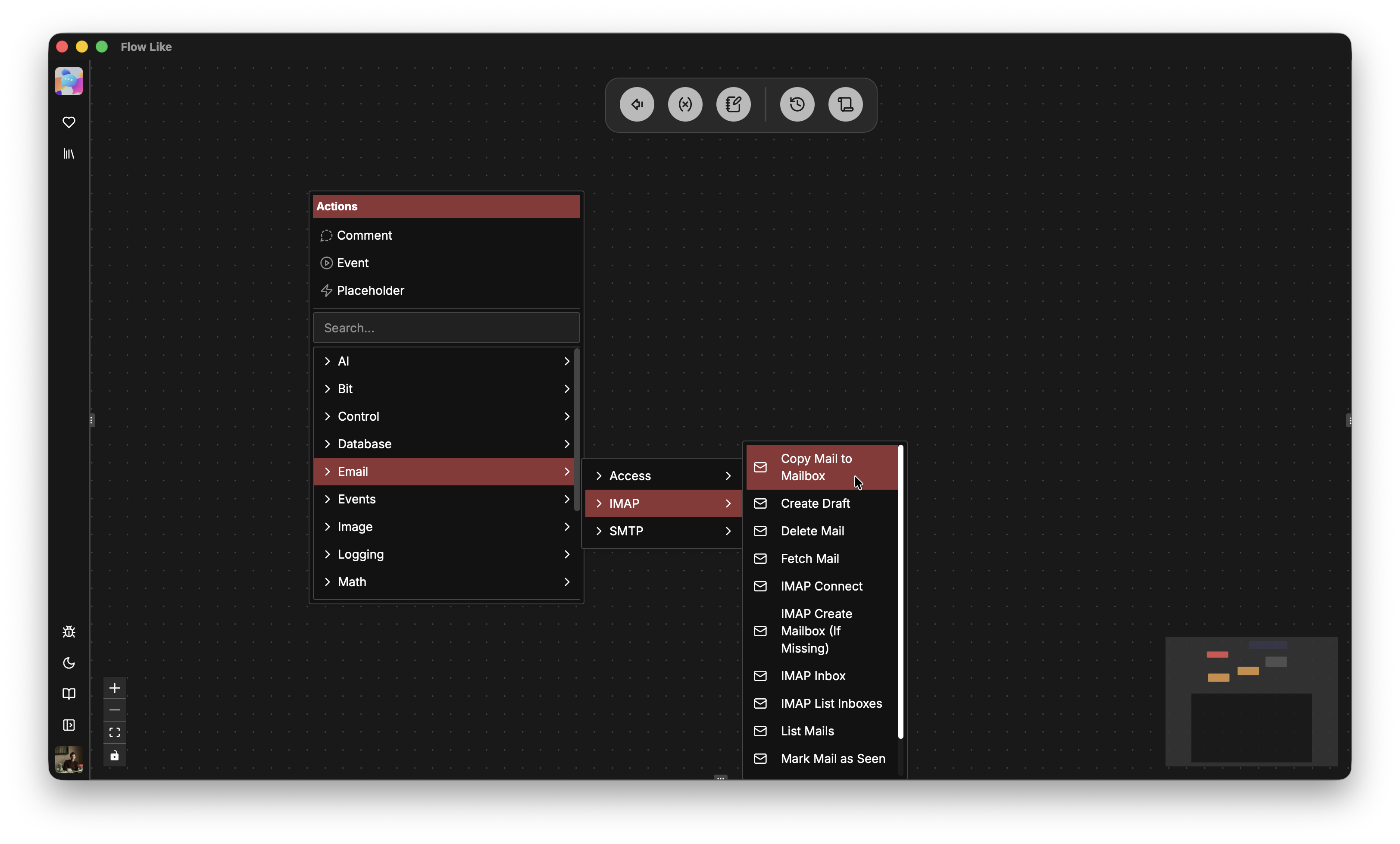
Finding Nodes
Section titled “Finding Nodes”In the Studio:
- Right-click the canvas → Browse categories
Node Categories
Section titled “Node Categories”Anatomy of a Node
Section titled “Anatomy of a Node”Every node has:
| Component | Description |
|---|---|
| Input Pins | Data coming into the node (left side) |
| Output Pins | Data produced by the node (right side) |
| Exec In | When to start executing (top, white) |
| Exec Out | Signal completion / trigger next (bottom, white) |
| Type | Each pin has a specific data type |
Type Safety
Section titled “Type Safety”Pins are typed. You can only connect compatible types:
- ✅
String→String - ✅
Number→Number | Any - ❌
String→Number(blocked)
The editor shows compatible connections when dragging — incompatible pins are dimmed.
Custom Nodes
Section titled “Custom Nodes”Need something specific? Write your own nodes in Rust: