
Versioning
Flow-Like has built-in versioning for boards, events, and apps. This allows you to safely manage changes, roll back to previous versions, and control which version is used in production.
Version Format
Section titled “Version Format”All versions follow semantic versioning with three numbers:
(major, minor, patch)| Version Type | When to Use | Example |
|---|---|---|
| Major | Breaking changes, new features | (1,0,0) → (2,0,0) |
| Minor | New functionality, backwards compatible | (1,0,0) → (1,1,0) |
| Patch | Bug fixes, small tweaks | (1,0,0) → (1,0,1) |
Board Versioning
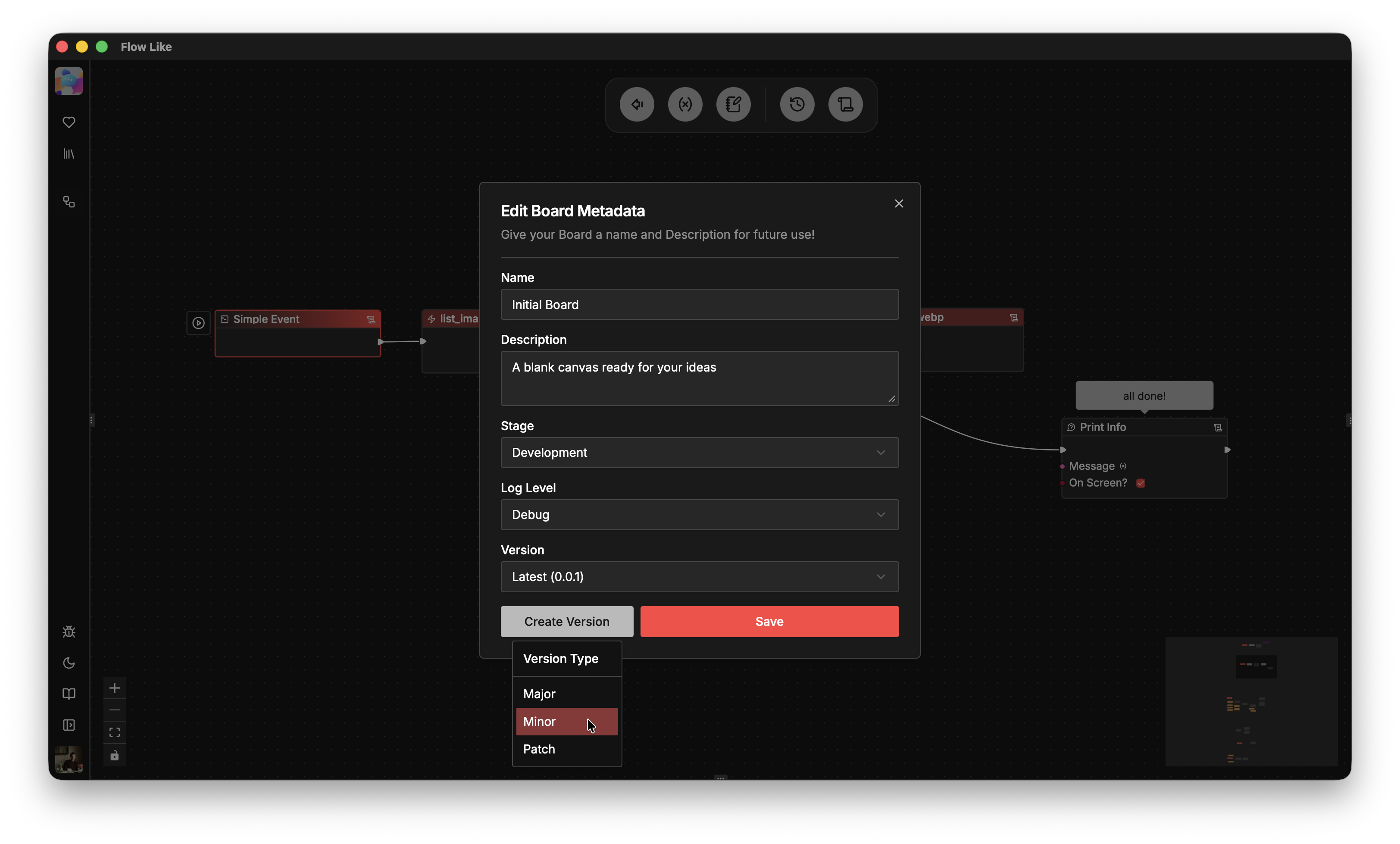
Section titled “Board Versioning”Boards include built-in versioning accessible via Board Settings in the top navigation bar:
How It Works
Section titled “How It Works”- Latest version — Your working copy, always editable
- Saved versions — Snapshots stored as
{major}_{minor}_{patch}.board - Version history — List all saved versions and load any previous state
Creating a Version
Section titled “Creating a Version”When you create a version:
- The current board state is saved to
/versions/{board_id}/{major}_{minor}_{patch}.board - The board’s version number increments based on your selection (Major/Minor/Patch)
- The “latest” working copy continues to be editable
Loading a Version
Section titled “Loading a Version”You can load any previous version to:
- Review what changed between releases
- Roll back to a known-good state
- Compare behavior across versions
Event Versioning
Section titled “Event Versioning”Events also have their own version history, independent of the board they reference.
Event Version Triggers
Section titled “Event Version Triggers”A new event version is automatically created when you change:
- The board the event points to
- The board version (pinned vs latest)
- The entry node within the board
- The canary configuration
Board Version Pinning
Section titled “Board Version Pinning”Each event can reference a board in two ways:
| Mode | board_version | Behavior |
|---|---|---|
| Latest | None | Always uses the current board |
| Pinned | Some((1,2,3)) | Locked to specific version |
Use pinned versions for production events — this ensures your workflows don’t break when you edit the board.
Canary Releases
Section titled “Canary Releases”Events support canary deployments with weighted traffic splitting:
CanaryEvent { weight: 0.1, // 10% of traffic board_id: "...", board_version: Some((2,0,0)), // New version ...}This lets you gradually roll out changes:
- 90% of invocations go to the main board version
- 10% go to the canary (new version)
- Adjust weights as you gain confidence
App Versioning
Section titled “App Versioning”Apps have an optional version field for tracking releases:
App { version: Option<String>, // e.g., "1.0.0" changelog: Option<String>, ...}This is primarily for:
- Public apps — Show users what version they’re running
- Changelogs — Document what changed between releases
- Templates — Track template versions separately from boards
Best Practices
Section titled “Best Practices”Development Workflow
Section titled “Development Workflow”- Edit on latest — Make changes to your board freely
- Test locally — Run the board with dev events
- Create a version — Snapshot when ready
- Pin production events — Point to the new version
Version Naming
Section titled “Version Naming”| Change | Version Bump |
|---|---|
| New event type or major flow rewrite | Major |
| Added nodes, new branches | Minor |
| Fixed a bug, tweaked values | Patch |
Rollback Strategy
Section titled “Rollback Strategy”If something breaks in production:
- Re-pin the event to the previous board version
- Debug on latest without affecting production
- Create a patch version with the fix
- Re-pin to the new version